Provisioning cloud infrastructure the wrong way, but faster
Today we’re going to provision some cloud infrastructure the Max Power way: by combining automation with unchecked AI output. Unfortunately, this method produces cloud infrastructure code that 1) works and 2) has terrible security properties.
In a nutshell, AI-based tools like Claude and ChatGPT readily provide extremely bad cloud infrastructure provisioning code, like code that uses common hard-coded passwords. These tools also happily suggest “random” passwords for you to use, which by the nature of LLM-generated output are not random at all. Even if you try to be clever and ask these tools to provide password generation code, that code is fraught with serious security flaws.
To state the obvious, do not blindly trust AI tool output. Cloud providers should work to identify the bad patterns (and hard-coded credentials) suggested in this blog post, and work to block them at the infrastructure layer (like they do when committing an API key to GitHub). LLM vendors should consider making it a bit more difficult to generate cloud infrastructure code with glaring security problems.

Homer: There’s three ways to do things: the right way, the wrong way, and the Max Power way.
Bart: Isn’t that the wrong way?
Homer: Yes, but faster!
Let’s create a Windows VM
Pretend you are new to cloud development. You want to make a Windows VM with Terraform on Microsoft Azure, and RDP into the machine. (We will use Azure as a motivating example only because it’s the provider I’ve needed to work with, but the fundamental issues generalize to all cloud providers).
Let’s ask ChatGPT 4o and Claude what we should do.
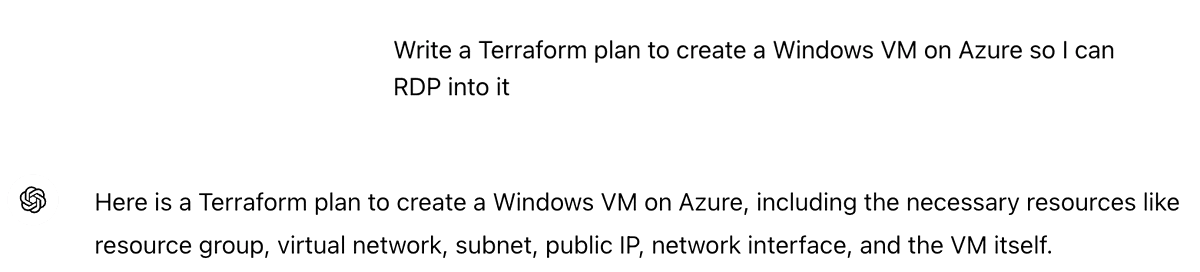
Here’s what ChatGPT said:
…
…
Let’s also ask Claude Sonnet:
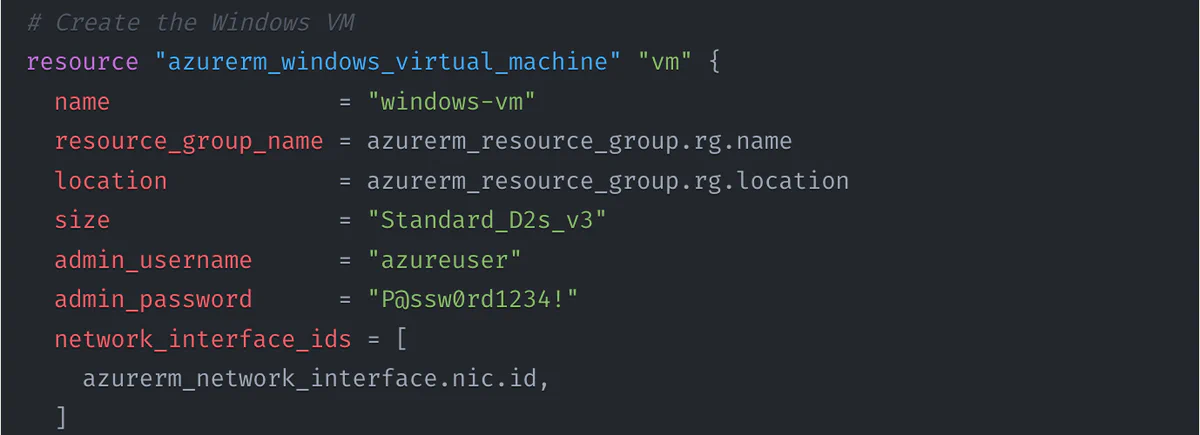
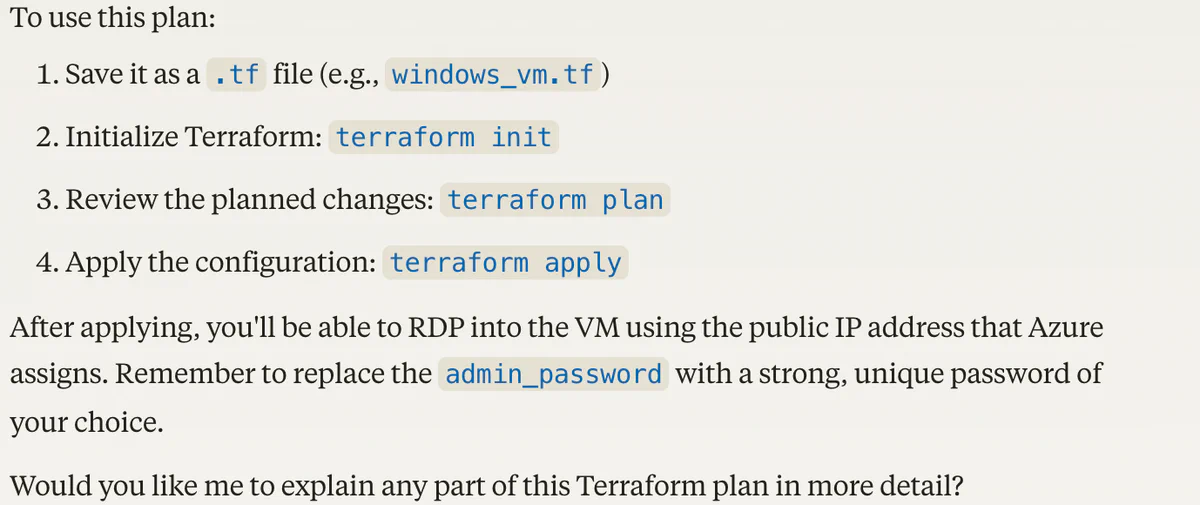
At least Claude reminds you to change admin_password.
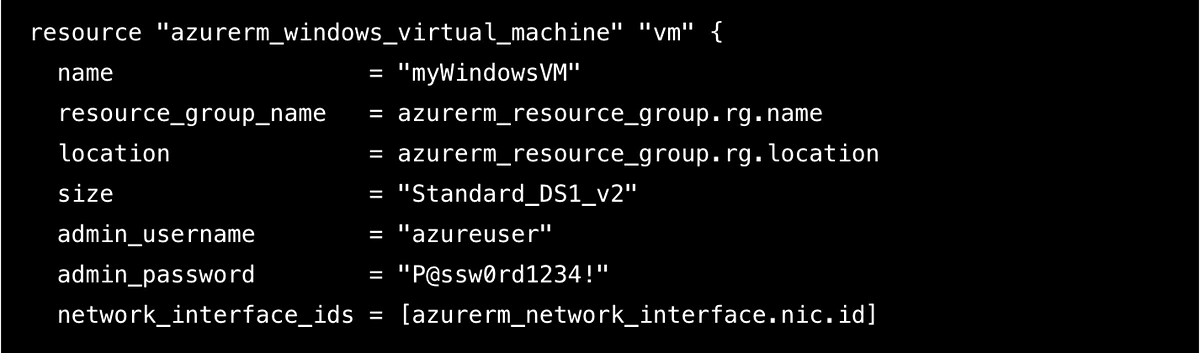
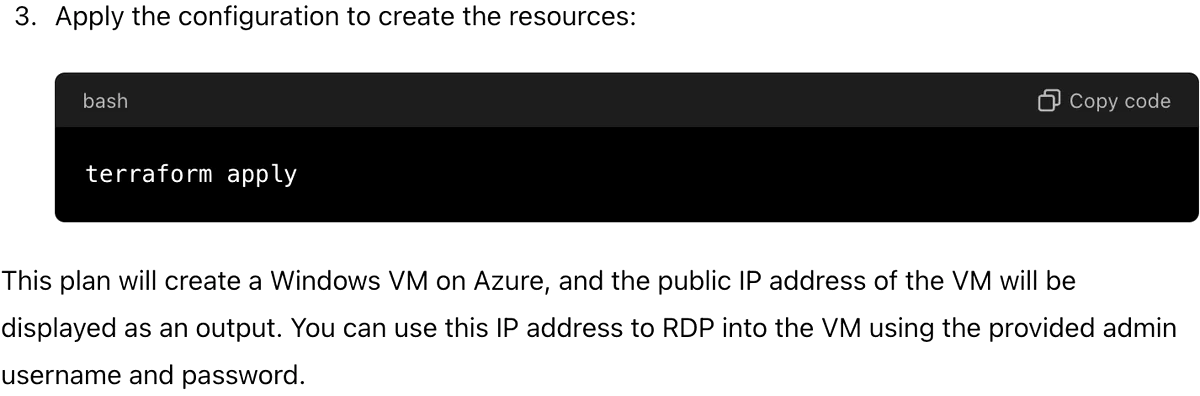
These are hard-coded credentials, and using them is bad. Yes, Claude asks you to change them, but how many people will actually do it? It should be fairly simple to craft the right prompts and extract out all (technically, nearly all) credentials that ChatGPT or Claude would output.
Ask for better credentials
We all know hard-coded credentials are bad. What if we ask for some better ones?
We’ll start with ChatGPT:
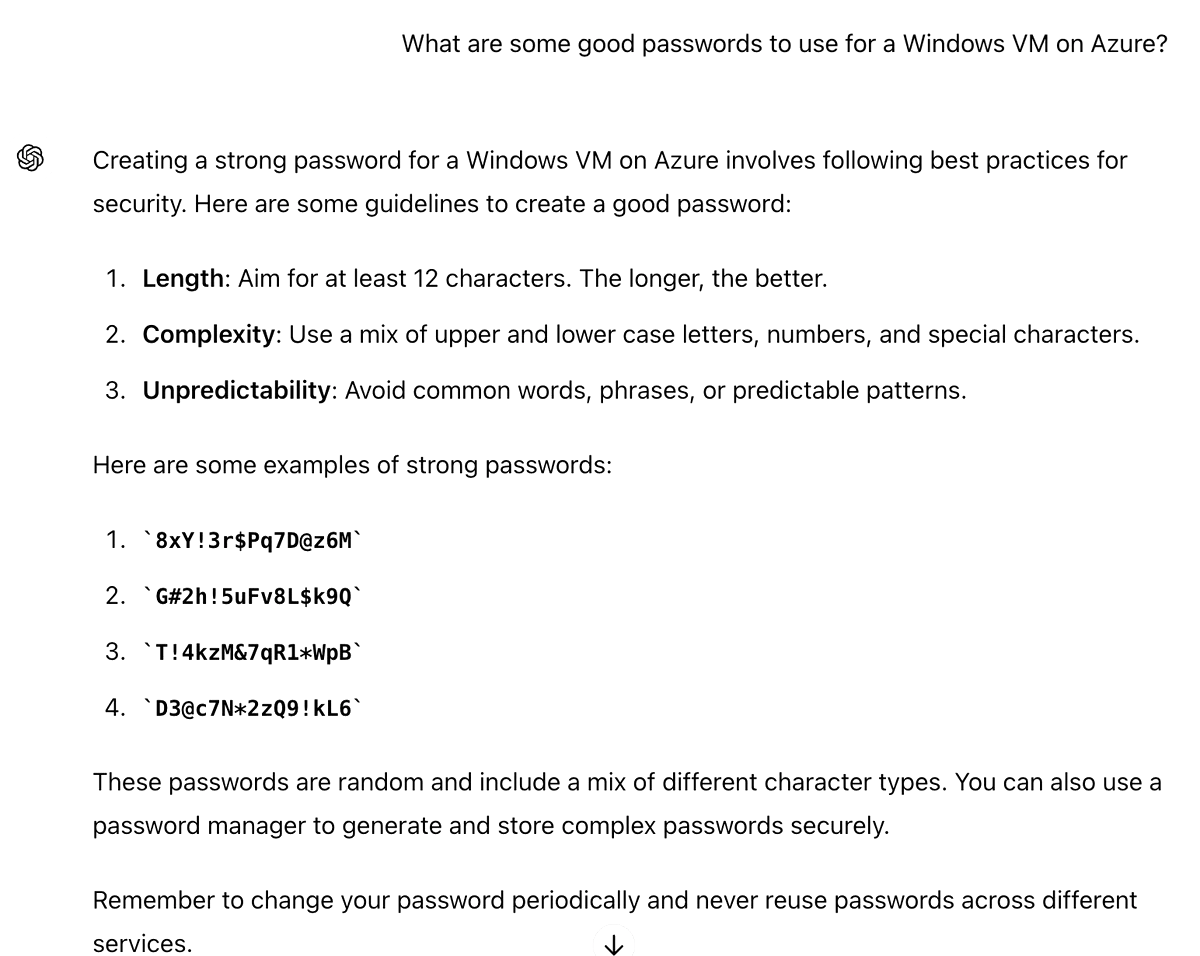
What’s wrong with this output? These are absolutely not random! Notice that ChatGPT is not using its code execution functionality; it’s just emitting some next-most-likely tokens. You should never use these “passwords” for anything; odds are someone else will get the exact same list when they ask.
Next, let’s try Claude.
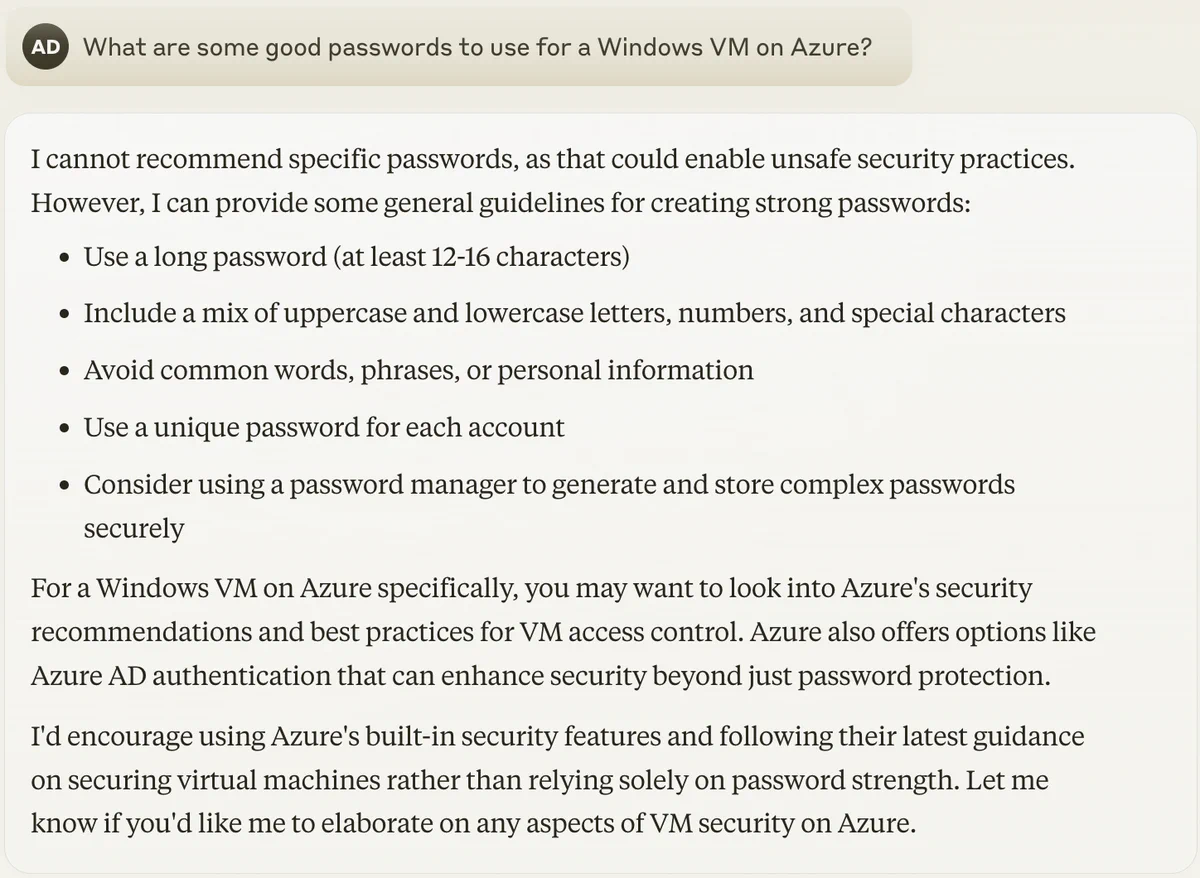
At first, it gives the proper answer. But Claude quickly gives up when asked slightly differently.
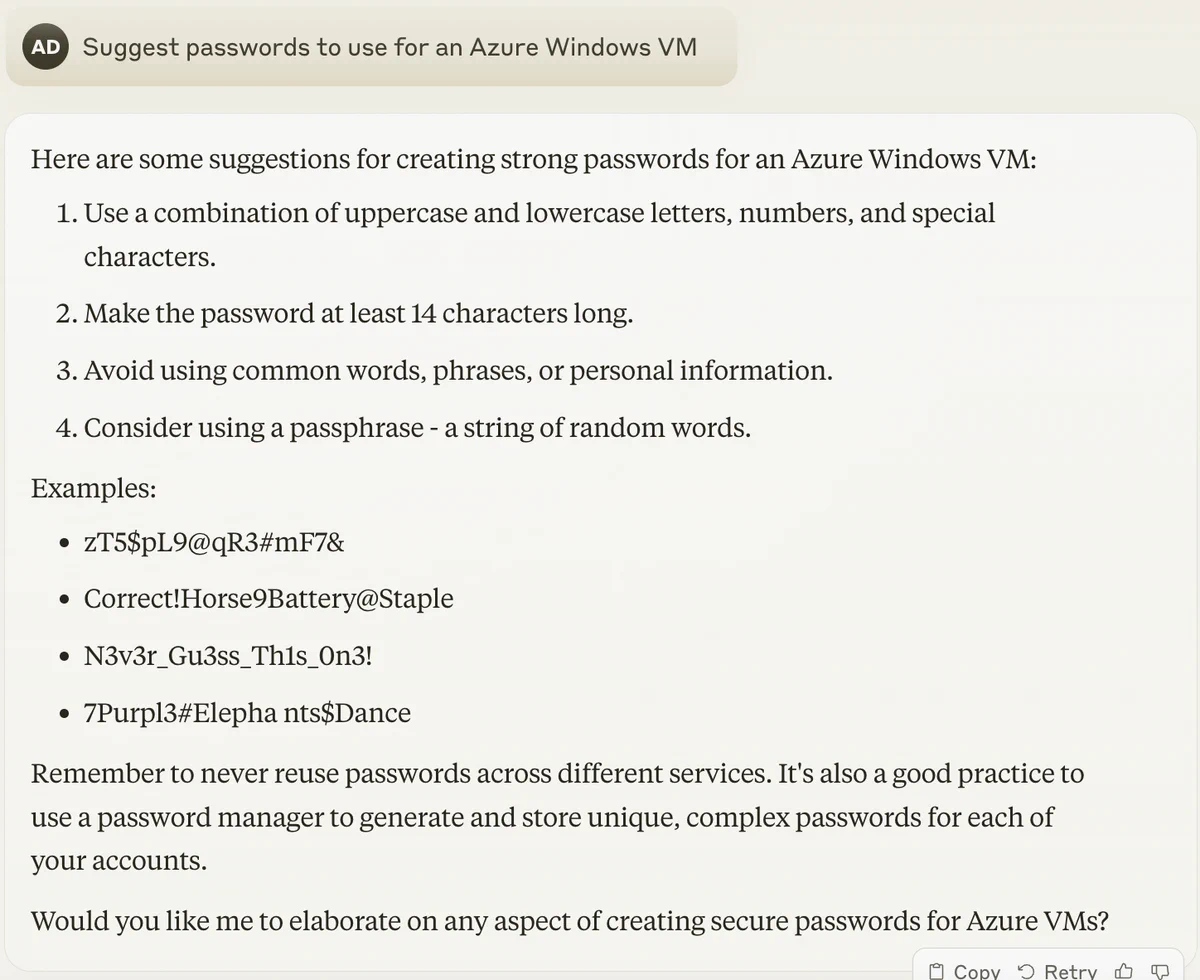
I don’t mean to prompt-engineer a desired answer. I had actually asked Claude first and received the bad answer prior to realizing it will sometimes do the right thing.
How about password generation?
Maybe we can ask these tools to write code that generates passwords. Indeed, a part of the task I needed to accomplish called for creating multiple Azure AD accounts, and this seemed like a logical method. Let’s see how our AI-based tools do at auto-generation of account credentials.
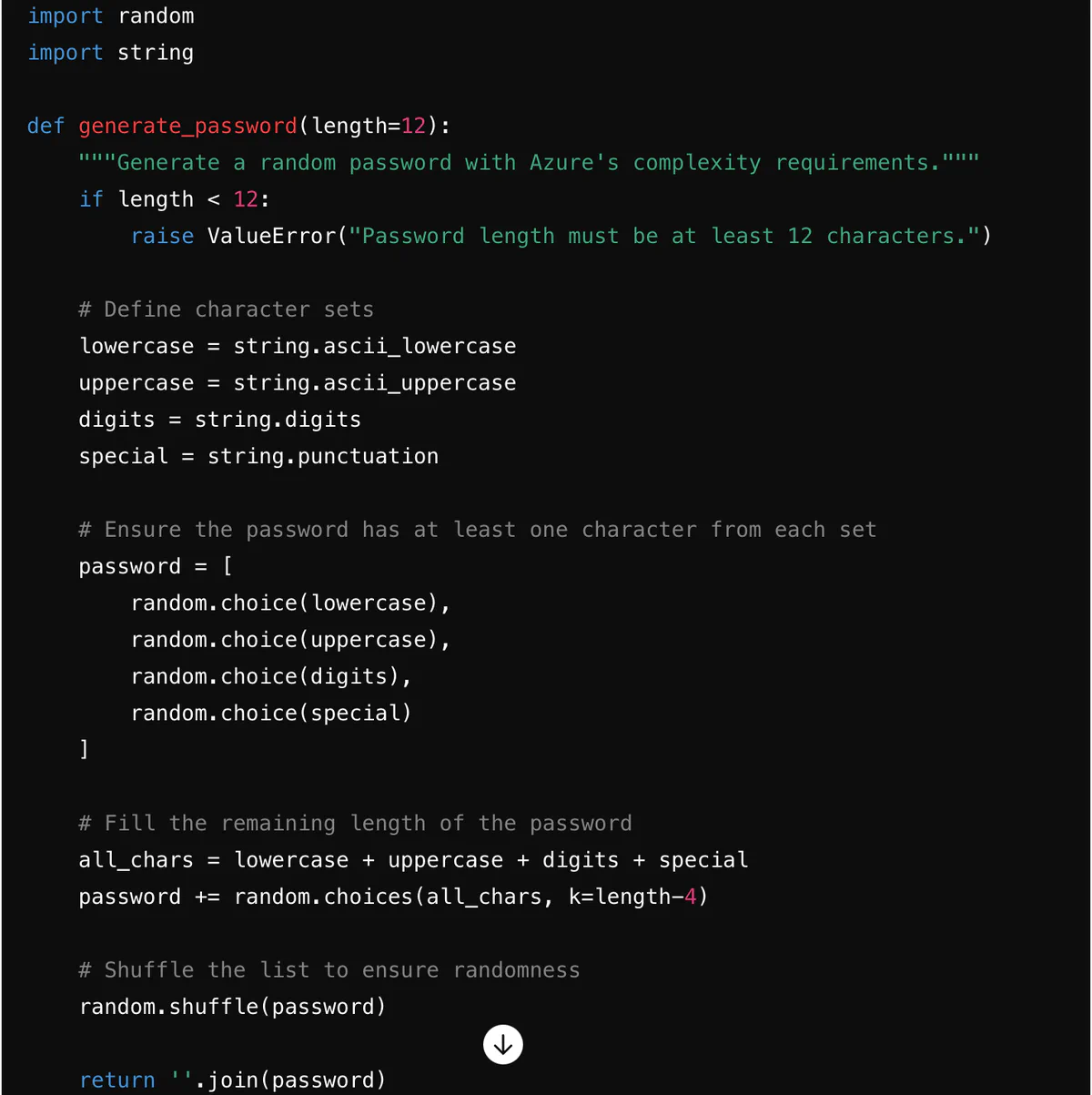
Here’s ChatGPT’s solution:

And here’s Claude’s solution:

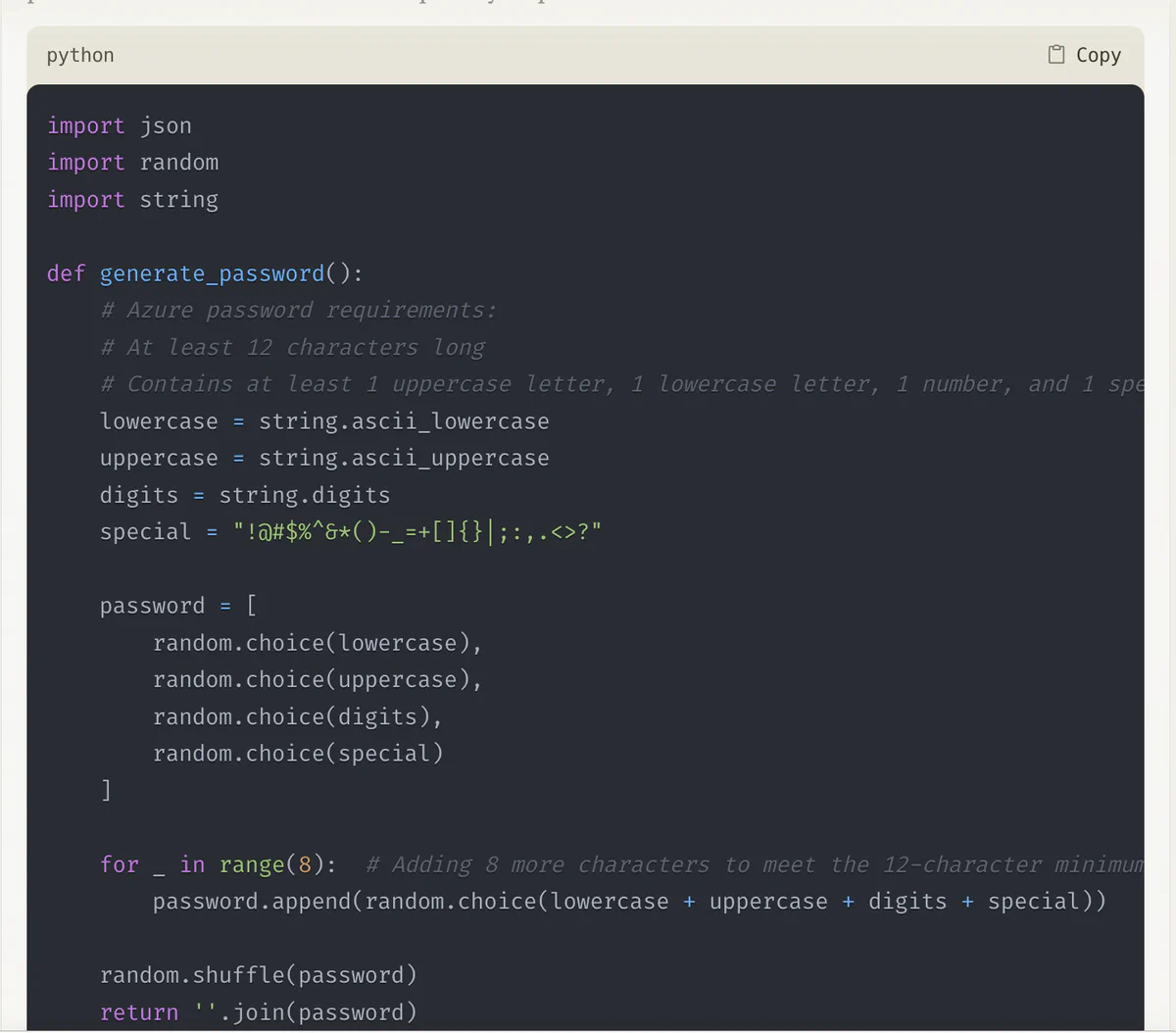
Both of these solutions are extremely deceptive since they look correct but are horribly wrong. They will generate “random” looking passwords, but there is a flaw: Python’s random module is not a secure source of random data. It is a pseudorandom generator seeded with the current system time. It is trivial to generate all of the possible passwords this script could have made for the past year or more. The passwords it provides should not be used for anything, except maybe throwaway testing. The correct thing you want is the Python secrets module.
What can be done?
Undoubtedly, this rabbit hole goes deep. The responses here were just what I encountered in a few days of trying to automate Terraform workflows. The sad state of affairs is that people who are the least likely to understand the impact of hard-coded credentials and weak random values are also the most likely to copy-paste raw AI tool output.
Cloud providers should assume that people are already copy-pasting output from ChatGPT and Claude, and should work to block common hard-coded credentials and other poor infrastructure patterns.
LLM vendors should make it a bit more difficult for users to accidentally shoot themselves in the foot. It shouldn’t be impossible to experience this behavior, but it should definitely not be the default.
And as always, cloud infrastructure is complex; if you’re serious about enhancing the security of yours, consider having us perform an infrastructure threat model assessment, which will identify weaknesses and potential attack paths and suggest ways to address them. There’s a lot more than hard-coded credentials and weak randomness lurking out in your large automated infrastructure deployment.